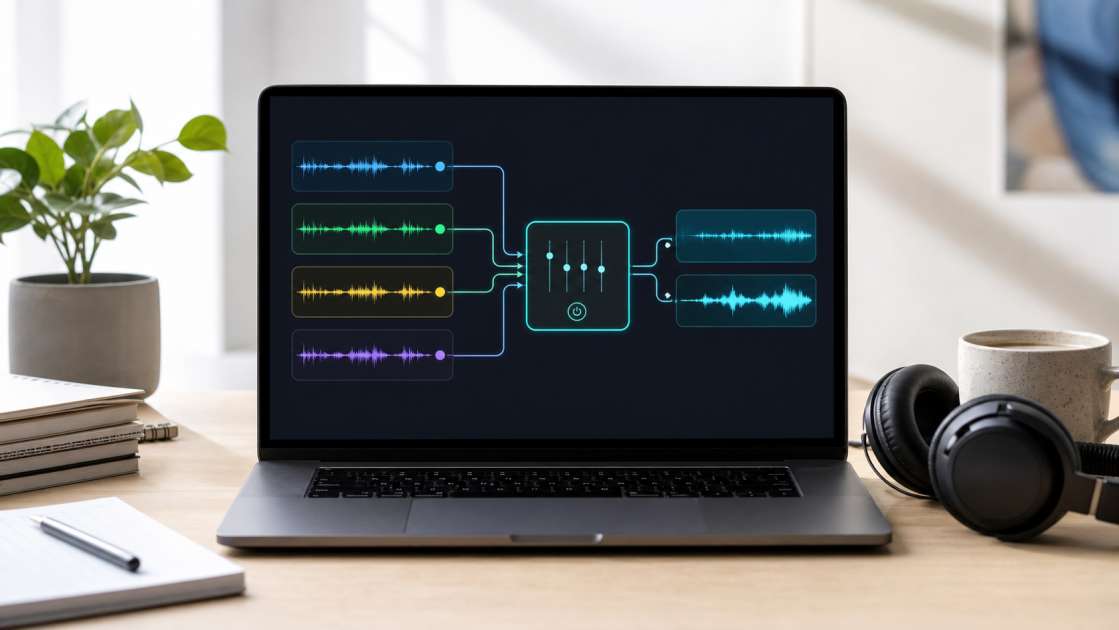
I was listening to a podcast episode I'd recorded in my kitchen last week—decent microphone, solid content, good energy—and then, around the seven-minute mark, my neighbor decided to fire up what sounded like a jet engine disguised as a lawnmower. The entire next three minutes became a battle between my voice and this mechanical roar. I sat there, headphones on, thinking about the hours I'd need to spend in Audacity, manually carving out frequencies like some kind of audio surgeon. That's when I remembered these AI audio cleaners exist now. The ones that promise to fix your mess with one click. So I dove in, tested a bunch, got burned by a couple, and came out the other side with audio that didn't make me want to throw my laptop out the window.
In short: Most free AI audio cleaners actually work if you avoid the scammy ones that demand payment mid-process. Your best bets are Noise-Reducer.com (truly unlimited and free) or CapCut Web if you're already in that ecosystem. Bring patience for the 2-5 minute processing time and a decent pair of headphones to check for that weird robotic hollowness that means you've over-cleaned. Budget zero dollars if you stick to the right tools. Main advice: always preview the cleaned file before publishing—sometimes the cure is worse than the disease.
What is an AI Music Cleaner and How Does It Work?
An AI cleaner is basically software that's been trained to tell the difference between the sounds you want and the sounds you don't. It's like having a very patient assistant who listens to your recording, identifies that the hum at 60Hz is your refrigerator and not part of your bassline, and quietly removes it while leaving everything else untouched. The tech underneath involves something called source separation or demixing—Facebook's research team built a model called Demucs that won some Sony competition, and now half the internet uses variations of it.
The old way of doing this, the Audacity way, required you to highlight a section of pure noise, tell the software "this is the bad stuff," then fiddle with reduction sliders and threshold controls until either the noise disappeared or your voice started sounding like a robot trapped in a tin can. It worked, technically, but it required skill, time, and the kind of patience I lost somewhere around 2019. Modern AI tools automate that entire neurotic process. You upload, you wait, you download. The algorithm does the listening and the thinking. No PhD in audio engineering required.
What to Expect: The Benefits of a High-Quality Free AI Audio Cleaner
When you find a decent free tool—and they do exist, despite the internet's best efforts to bury them under freemium garbage—you should expect actual separation accuracy. The vocal track should come out clean, without that strange underwater quality that screams "I processed this too hard." The best services let you upload without making you create an account, enter your email, or promise your firstborn. Noise-Reducer.com does this. You drop the file, it processes, you download. No login screen, no paywall surprise at the end.
Speed matters more than people admit. I've used tools that took fifteen minutes to process a three-minute file, and by the time it finished I'd forgotten why I even needed it cleaned. Good tools work in seconds, maybe a couple minutes for longer files. And privacy—reputable services delete your files after 24 hours and don't feed them into some AI training database. I learned this after reading the fine print on a service that cheerfully admitted they kept everything forever. Deleted my file, never went back.
The interface should be simple enough that you can test it without becoming an audio engineer. Drag the file into the browser, wait for processing, download the result, then compare it against the original at the same volume. A useful cleaner handles the problems generated music actually has: brittle top end, low-mid fog, tiny clicks, flattened transients, and that hollow processed edge that makes a chorus feel less alive than it should.
What to Avoid: Common Pitfalls and Deceptive Practices
The first trap is the fake free service. You upload your file, it processes for three minutes, you get excited, you click download, and boom—paywall. "Buy tokens to continue." I hit this with one service that looked completely legitimate until the very end, when it wanted $9.99 for 100 tokens, and my file would cost 87 tokens. I paid, because I'm an idiot and was on a deadline. The download failed. The tokens vanished. Customer service never responded. I'm still angry about it.
Over-cleaning is the other killer. Artifacts are what happen when you crank the noise reduction to 100% and the algorithm starts eating parts of your voice along with the noise. Your audio comes out sounding hollow, metallic, like you're speaking from inside a shipping container on Mars. The software can't always tell where noise ends and signal begins, especially if they overlap in frequency. I ruined an entire interview this way once—removed the hum but also removed every consonant, turning crisp speech into mush. Found the balance eventually: around 70-75% reduction strength for most situations.
Using the wrong tool is surprisingly common. A cleaner designed for podcasts and human voice will butcher a music track by stripping out instrumental details it thinks are "noise." I watched someone try to clean a guitar recording with a vocal-focused tool and end up with something that sounded like the guitar was playing from another room through a pillow. Match the tool to the job. And always, always listen to the output on real headphones and real speakers before you publish. Laptop speakers lie. Phone speakers lie harder.
There's this idea floating around that cleaning AI-generated music from Suno or Udio removes the AI artifacts and gives you legal protection. It doesn't. It just makes the file harder to trace technically, but legally you're in the same swamp. And finally: stop manually editing unless you have a specific reason. The entire point of these AI tools is to avoid spending three hours tweaking a noise gate in Audacity when a one-click solution exists.
Top 7+ Free AI Audio Cleaners You Can Use Today
I spent an unreasonable amount of time testing these, so you don't have to. The completely free options that actually work: Noise-Reducer.com is genuinely unlimited and doesn't play games. You upload, it cleans, you download, nobody asks for money. Ultimate Vocal Remover is open-source desktop software with an interface that looks like it was designed by someone who hates beauty, but the results are phenomenal because it uses the same Demucs models that power half the professional tools. If you can tolerate ugly software, this is the most powerful free option. DeepFilterNet3 and RNNoise are also completely free but require local installation, which means they're for people who enjoy reading documentation.
The freemium tier is where things get complicated. CleanAudio.io gives you a 30-second preview for free, which is actually useful—you can hear if it works before committing money. Adobe Podcast Enhance is genuinely excellent for voice but limits you to some number of minutes per hour or day on the free tier. I've never hit the limit because I'm not transcribing War and Peace, but it exists. Krisp.ai does real-time noise cancellation during calls with a limited free weekly allowance. CapCut Web is perfect if you're already editing video in CapCut and don't want to leave the ecosystem. Lalal.ai is popular for stem separation and usually offers a free trial for short clips, though the exact terms seem to shift depending on the moon phase.
A Step-by-Step Guide to Cleaning Your Audio in Under a Minute
Open your browser. Go to the tool's website. Drag your audio file—MP3, WAV, M4A, MP4, whatever—into the upload area. Most tools accept video files and will extract the audio automatically, which is useful when you've recorded something on your phone and don't want to mess with converters first.
The AI analyzes the file automatically. This is the part where you wait and wonder if it's actually doing anything or if your internet connection died. Usually takes 30 seconds to a few minutes depending on file size. The algorithm listens to the entire recording, builds a model of what's noise and what's signal, then separates them. It's doing in two minutes what would take you an hour manually.
Most decent tools offer a before-and-after comparison player. Use it. Listen to both versions with headphones, not your laptop speakers, because laptop speakers make everything sound acceptable when it's actually terrible. Check for artifacts—that hollow, metallic quality that means something went wrong. If it sounds wrong, it is wrong.
Some tools give you a reduction strength slider. I've found 70-75% works for most situations. Lower if the audio starts sounding damaged, higher if the noise is still too loud. CleanAudio.io and a few others let you tweak this. Most tools just process at whatever strength they think is right, which is usually fine but occasionally catastrophic.
Download the cleaned file when you're satisfied. It's ready to upload, publish, send to your transcription service, or whatever you needed clean audio for in the first place. The whole process, start to finish, takes less time than making coffee.
Who Should Use AI Audio Cleaners? (Real-World Examples)
Podcasters recording in spare bedrooms with HVAC systems that kick on mid-sentence. I know three people who record in closets to avoid room echo, and they still need to clean up the low-frequency hum from the building's ventilation. These tools turn acceptable audio into professional audio without requiring a soundproofed studio.
For generated music, the best online cleaner is the one that leaves the song recognisable. If the vocal loses consonants, the snare turns papery, or the stereo image collapses into the center, the tool went too far. I would rather keep a tiny bit of shimmer than trade it for a dead, phasey file that no listener wants to hear twice.
Musicians dealing with mic bleed in live recordings. There's a whole Reddit thread about this—someone recorded an album live, loved the energy, but the vocal mic picked up too much acoustic guitar. Their producer wanted to re-record everything in isolation, which would have killed the vibe. AI separation saved the project. You can isolate vocal tracks from instrumental bleed now without destroying the original performance, which still feels like magic to me.
Marketers and educators making promotional videos or online courses without access to proper recording equipment. You can record a tutorial on your laptop's built-in microphone, clean up the result, and end up with something that doesn't sound like it was recorded in a bathroom. It's not studio quality, but it's professional enough that people won't immediately click away.
Regular people improving voice memos, family videos, or smartphone interviews. Not everything needs perfect audio, but sometimes you record something important and the background noise makes it hard to understand. These tools are for that too. I've cleaned up old family recordings just to make them easier to hear.
Frequently Asked Questions (FAQ) about Free AI Audio Cleaners
Is it truly free? Depends on the tool. Noise-Reducer.com and Ultimate Vocal Remover are completely free with no catches. Most others are freemium—free previews or limited minutes, then payment for full access. The trick is knowing which model you're dealing with before you invest time uploading files.
Is my data safe and private? Reputable services delete your files within 24 hours and don't use them for AI training. I've read enough privacy policies to know that the good ones explicitly state this, and the sketchy ones either don't mention it or hide concerning language in paragraph seventeen. If the privacy policy is hard to find, that's your answer.
Will the AI make my voice sound robotic or unnatural? It can, if you over-process. The robotic hollow sound is what artifacts sound like. Start with moderate settings, preview the result, and only increase reduction strength if the noise is still too loud. Sometimes a little remaining noise is better than robotic speech.
What file formats are supported? Most tools accept MP3, WAV, M4A for audio, and MP4, MOV for video. I've successfully uploaded FLAC, OGG, and even some obscure formats without issues. If your file is truly weird, convert it to MP3 first—that'll work everywhere.
Is an AI cleaner better than software like Audacity? Not better, just different. AI cleaners are faster and easier for standard noise removal. Audacity gives you more control for complex situations. I use AI tools for 90% of my cleaning now and only open Audacity when something needs surgical precision that automation can't handle.
Can I use these tools on my phone? Sometimes, yes, but I would still do final checks on desktop headphones or monitors. Mobile speakers hide the exact problems you are trying to fix: brittle highs, muddy vocals, smeared stereo width, and pumping compression.